Database client

The database client that knows which one is production.

Curiosity won’t kill this cat.

Free and open source, for MySQL, PostgreSQL, Redis, MongoDB and more. DBCatz connects to the databases DevCatz runs — and to everything else, over SSH, AWS IAM or Vault — with a Production mode that stops you from breaking what matters.

connected · [email protected]:55432/catz_shop · PostgreSQL 18.6 · 15 ms

macOS 13+Apple silicon + IntelWindows soonFree, open sourceAI-connected ✦
  • MySQL
  • MariaDB
  • PostgreSQL
  • SQLite
  • Redis
  • Valkey
  • MongoDB
  • Elasticsearch

In the app

This is DBCatz.

Real screens from the app — no stuffed cats, no mock-ups.

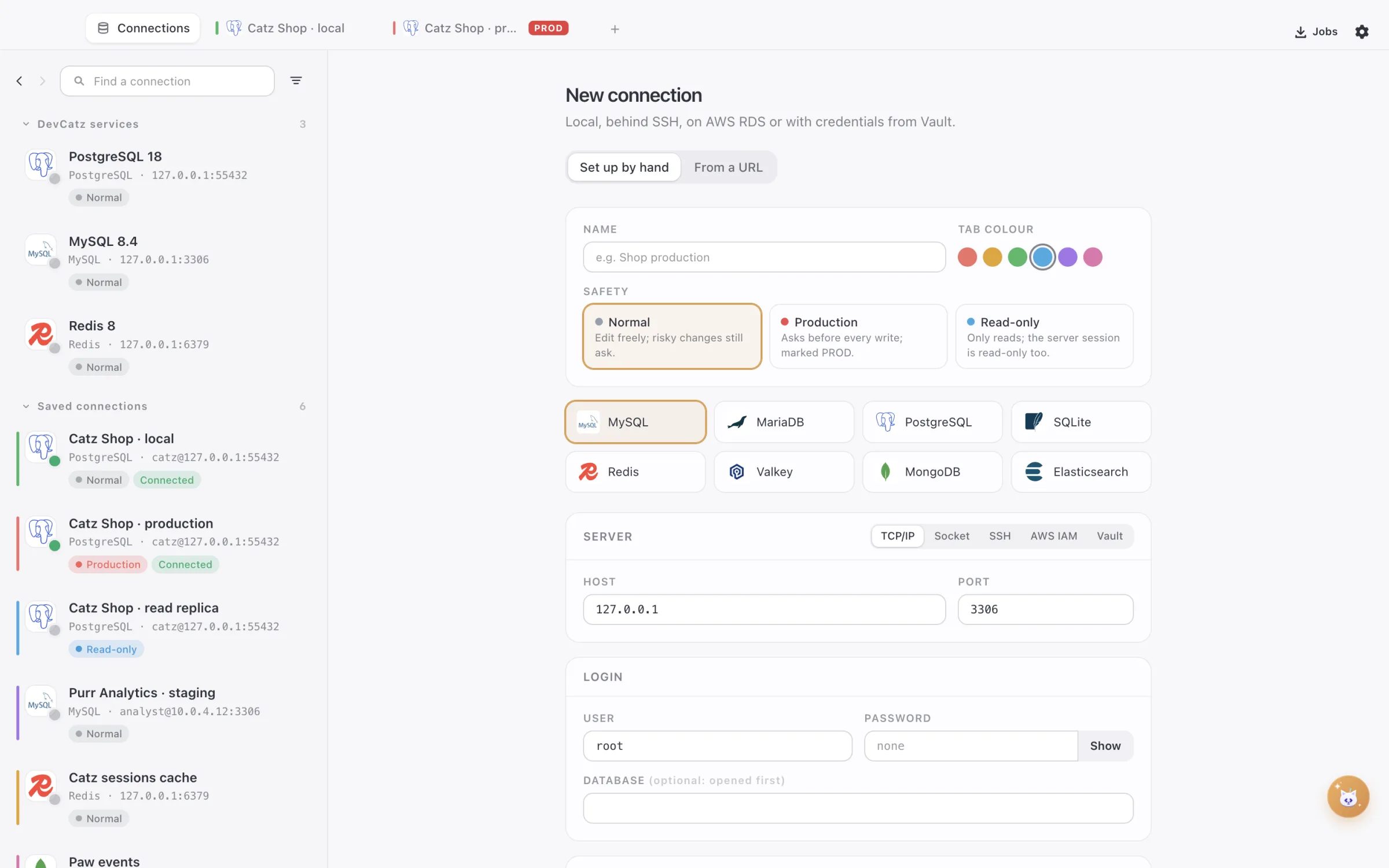
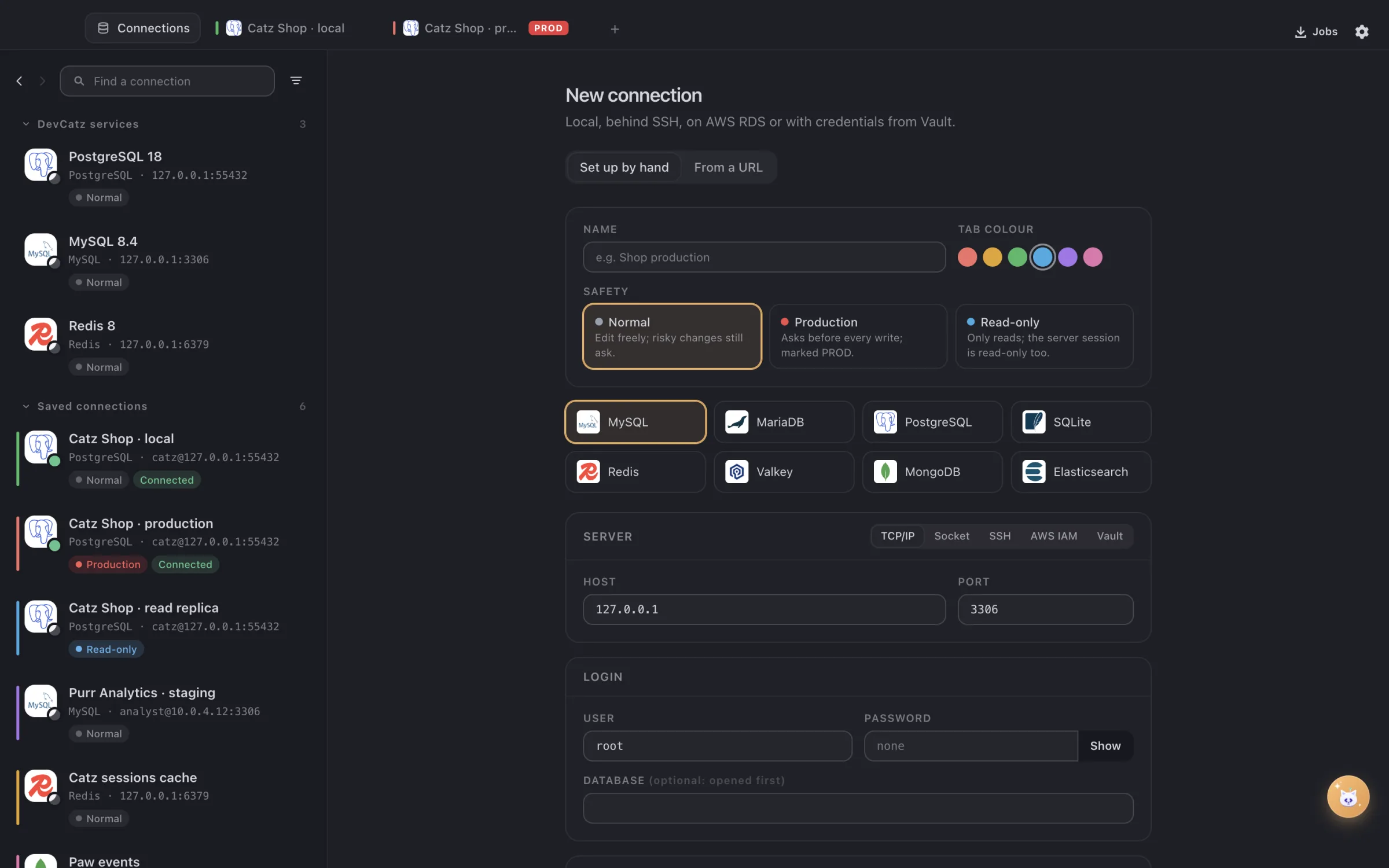
Connections in DBCatz, with the services DevCatz runs
01 · ConnectYour databases, already curled up here.The services DevCatz runs show up on their own. Everything else is one form away: SSH, AWS IAM, Vault, or a pasted URL.
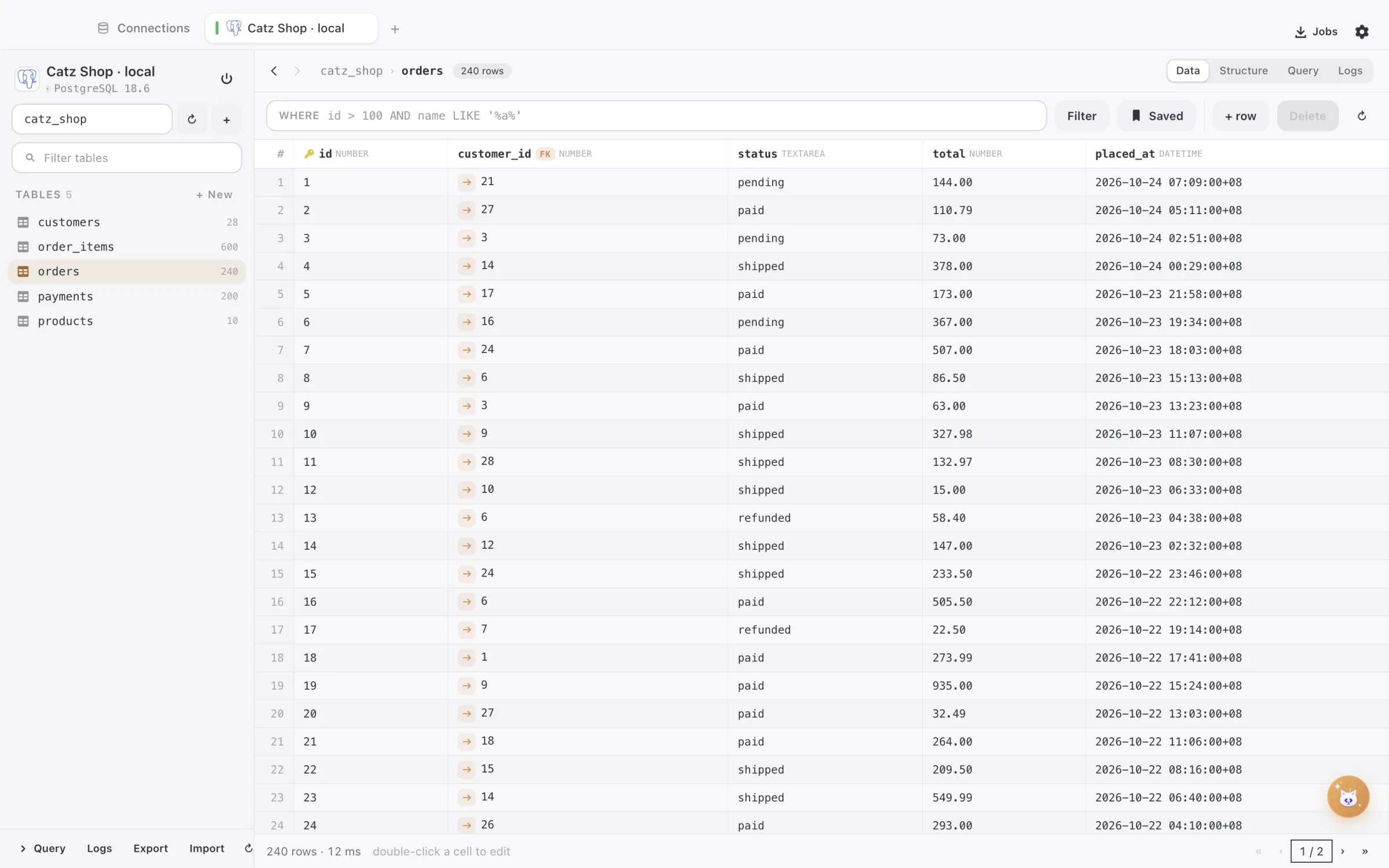
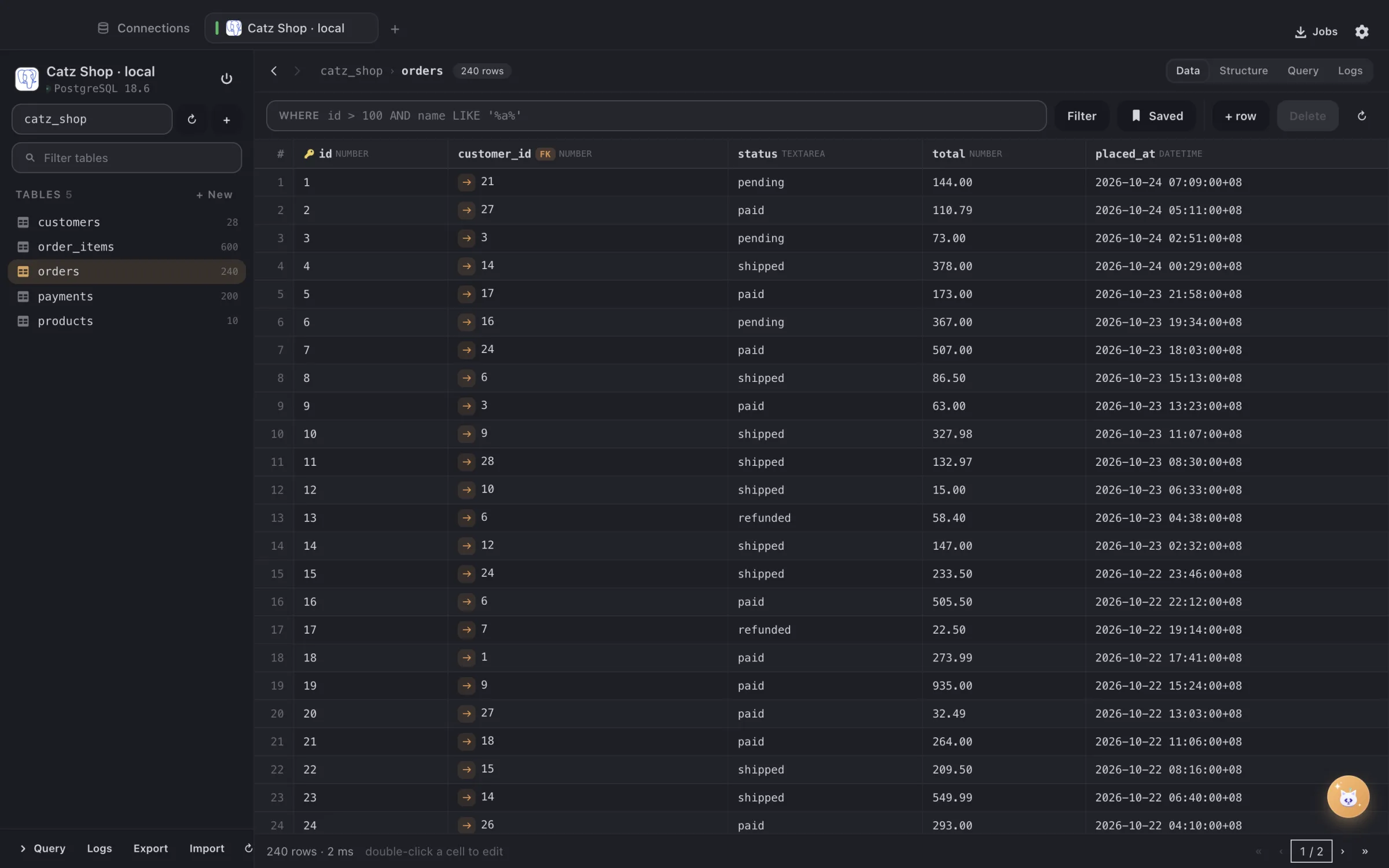
The orders table in DBCatz
02 · BrowseRows you can edit. Keys you can follow.Filter with a WHERE clause, double-click a cell to edit it, click a foreign key to jump to the row it points at.
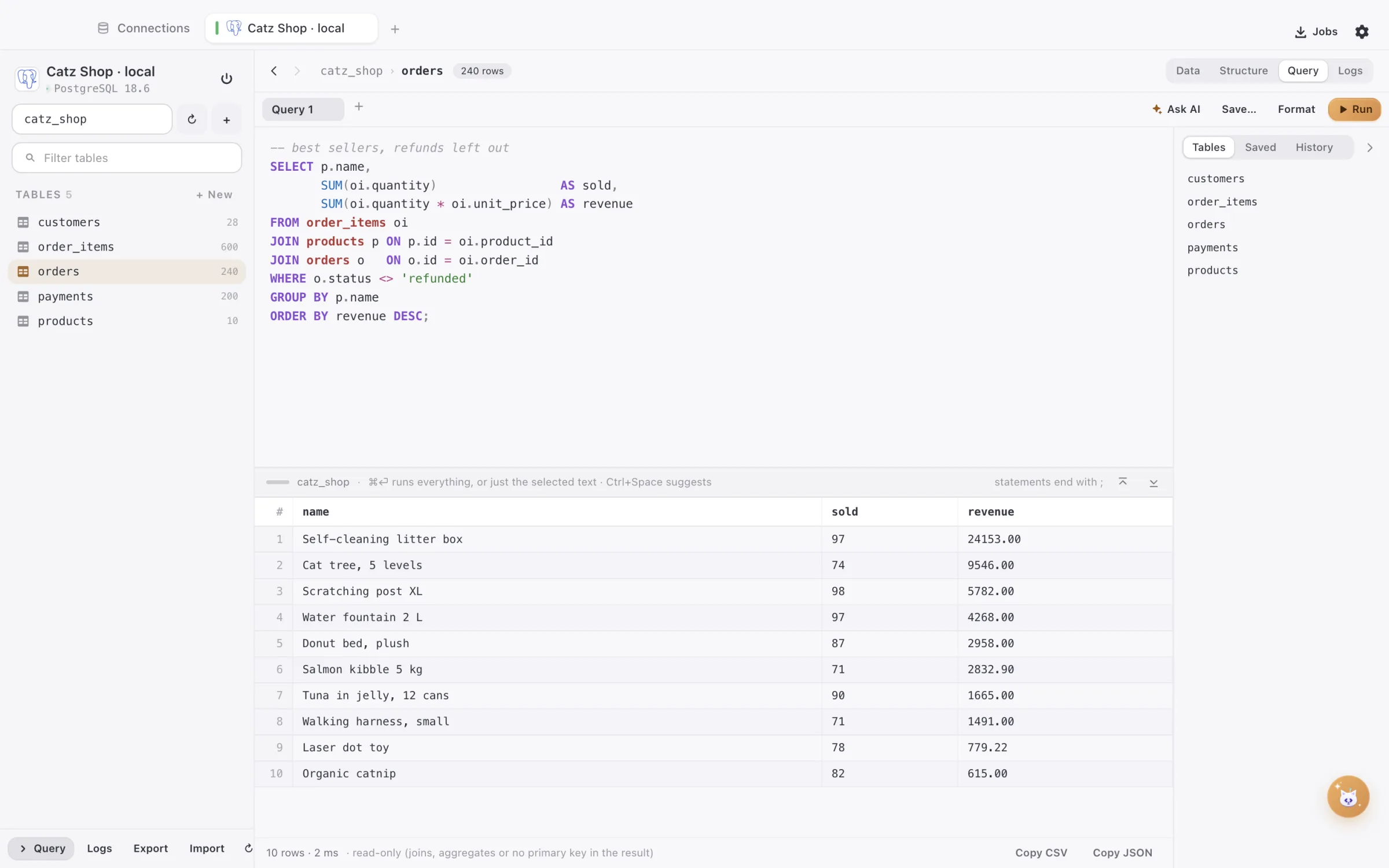
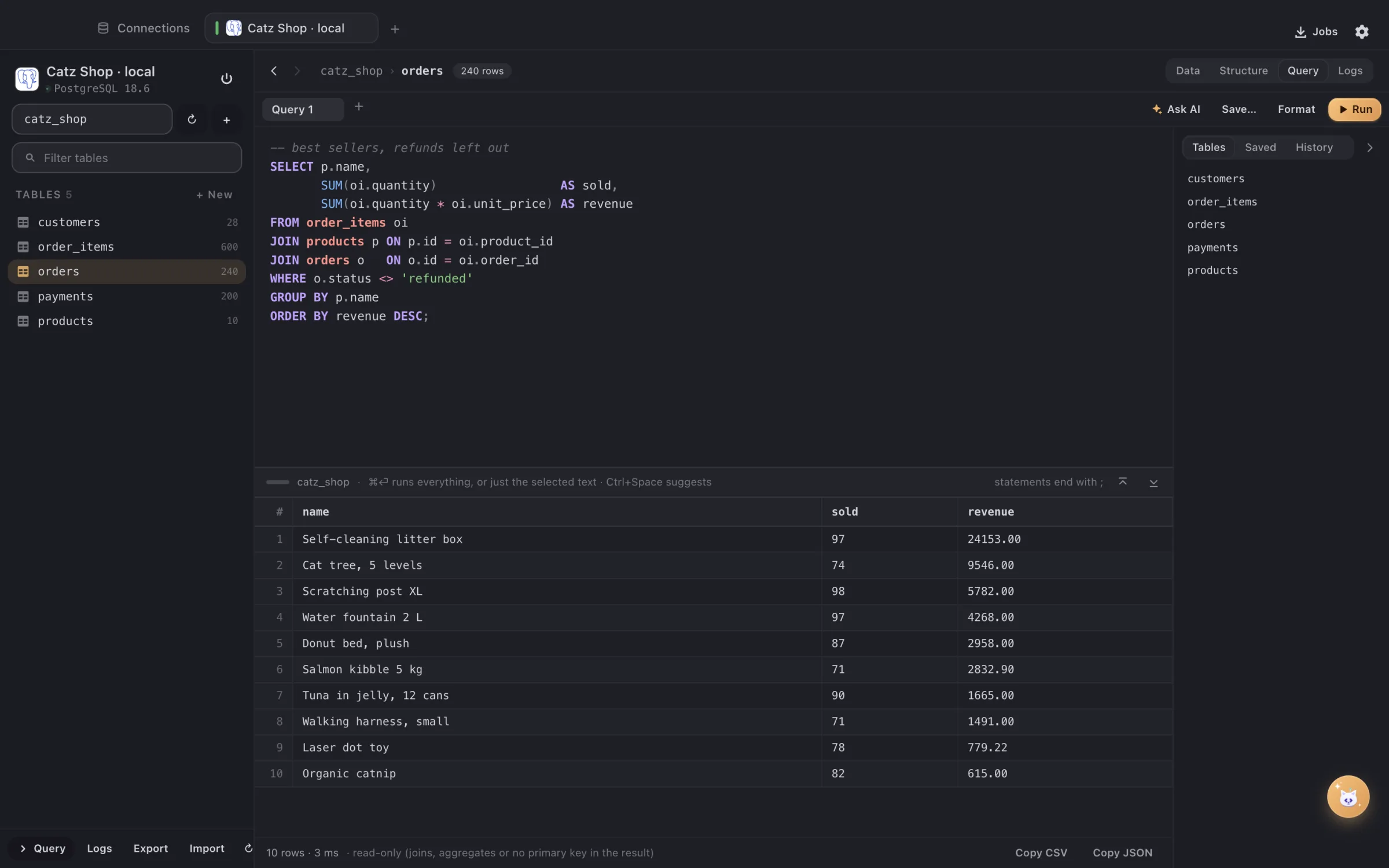
A query and its results in DBCatz
03 · QueryWrite it. Run it. Keep the result.Highlighting and suggestions while you type; ⌘⏎ runs it all or just the selection. Copy the result as CSV or JSON.
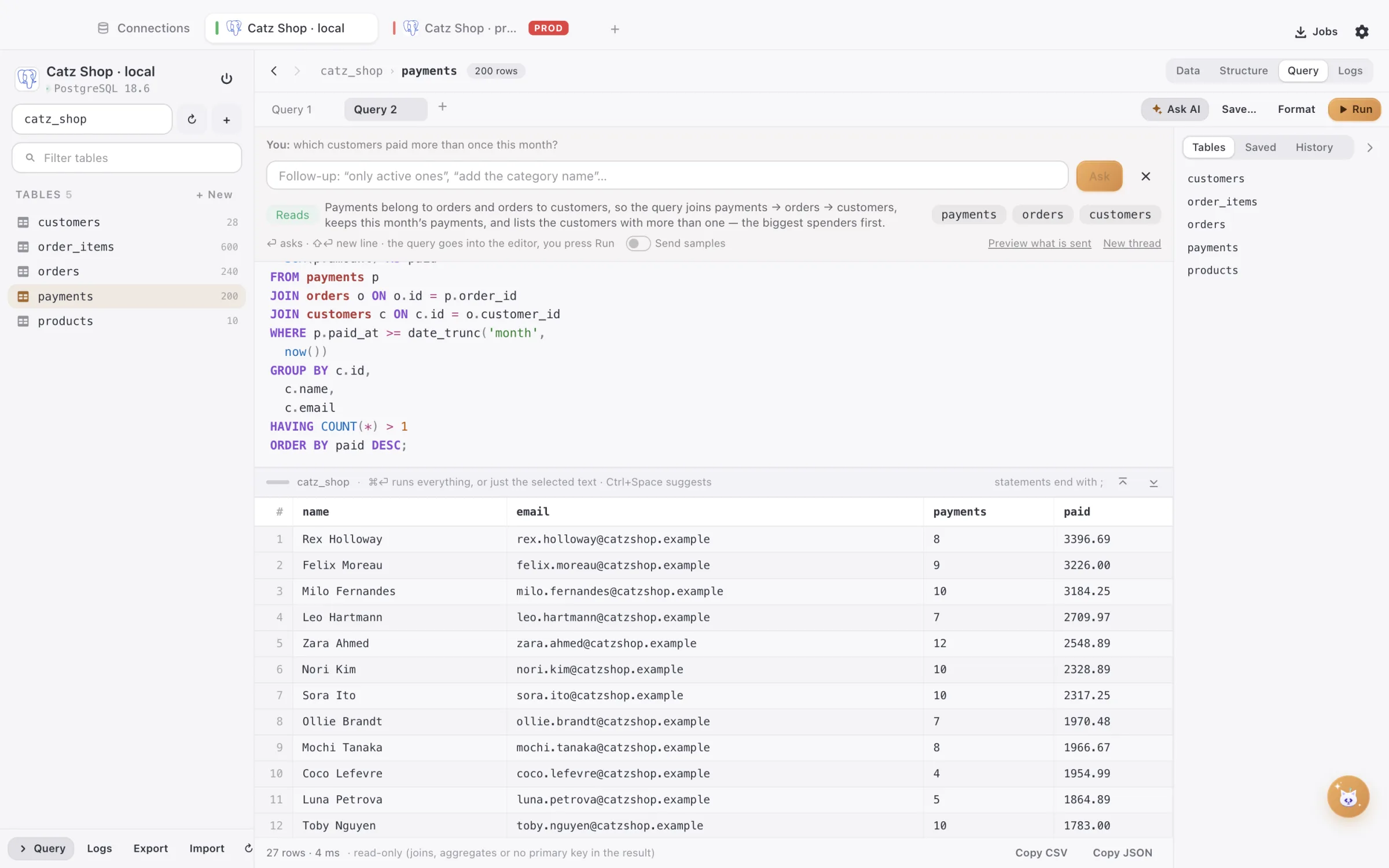
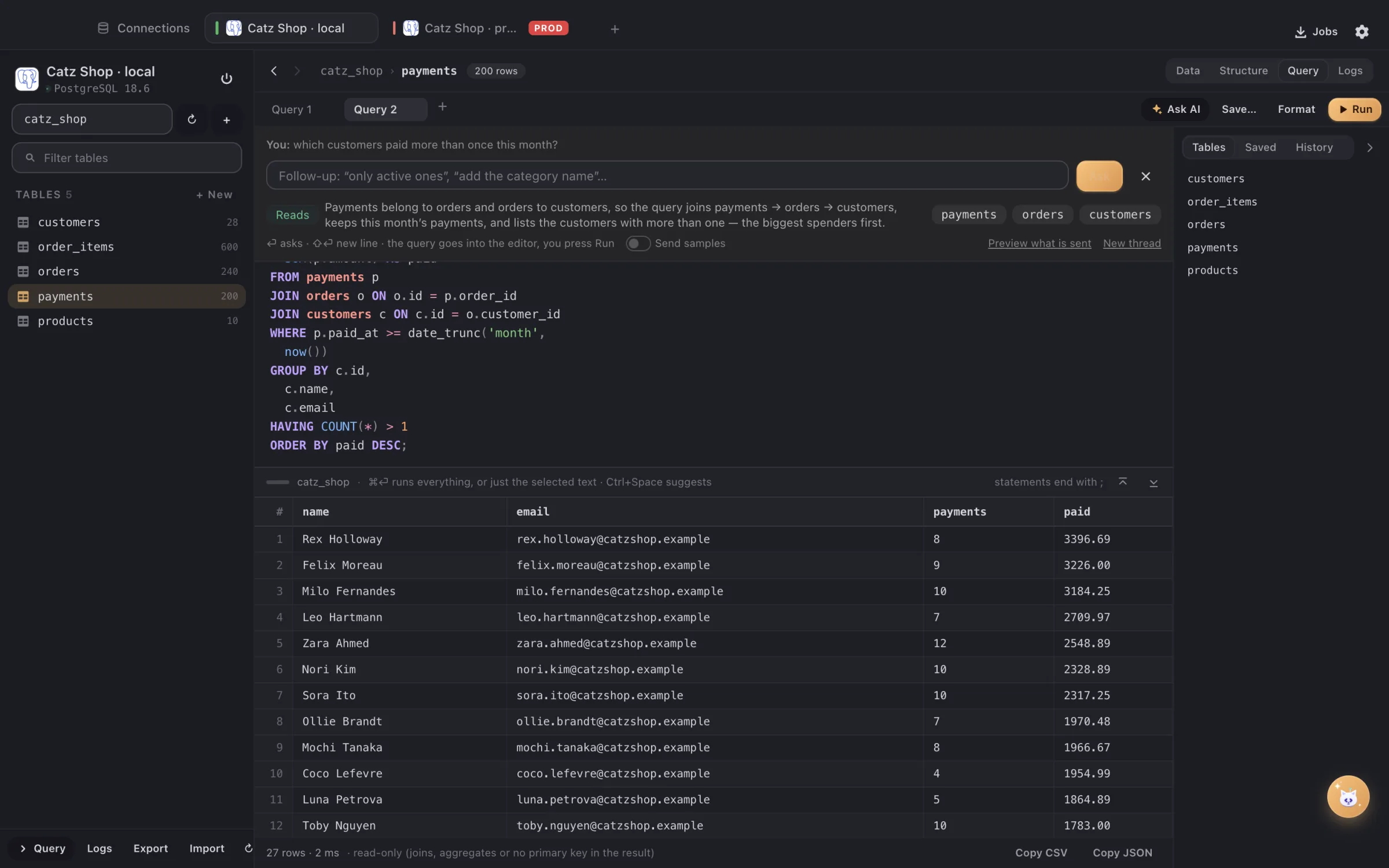
Ask AI writing a query in DBCatz from a plain question
04 · AskAsk in plain words. The cat fetches the query.Ask AI reads only the structure — never your rows — writes the join, says why, and leaves it in the editor until you press Run.
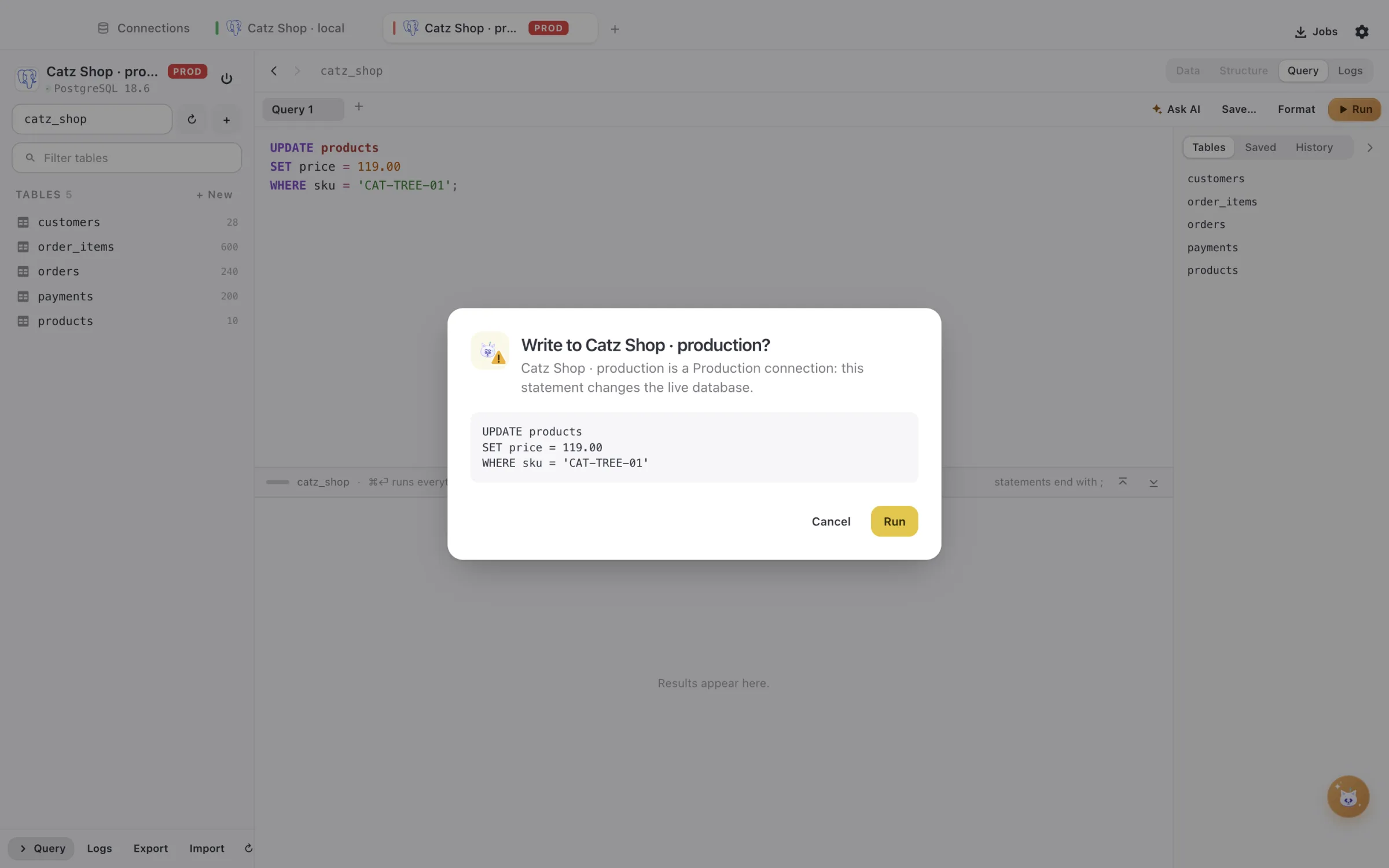
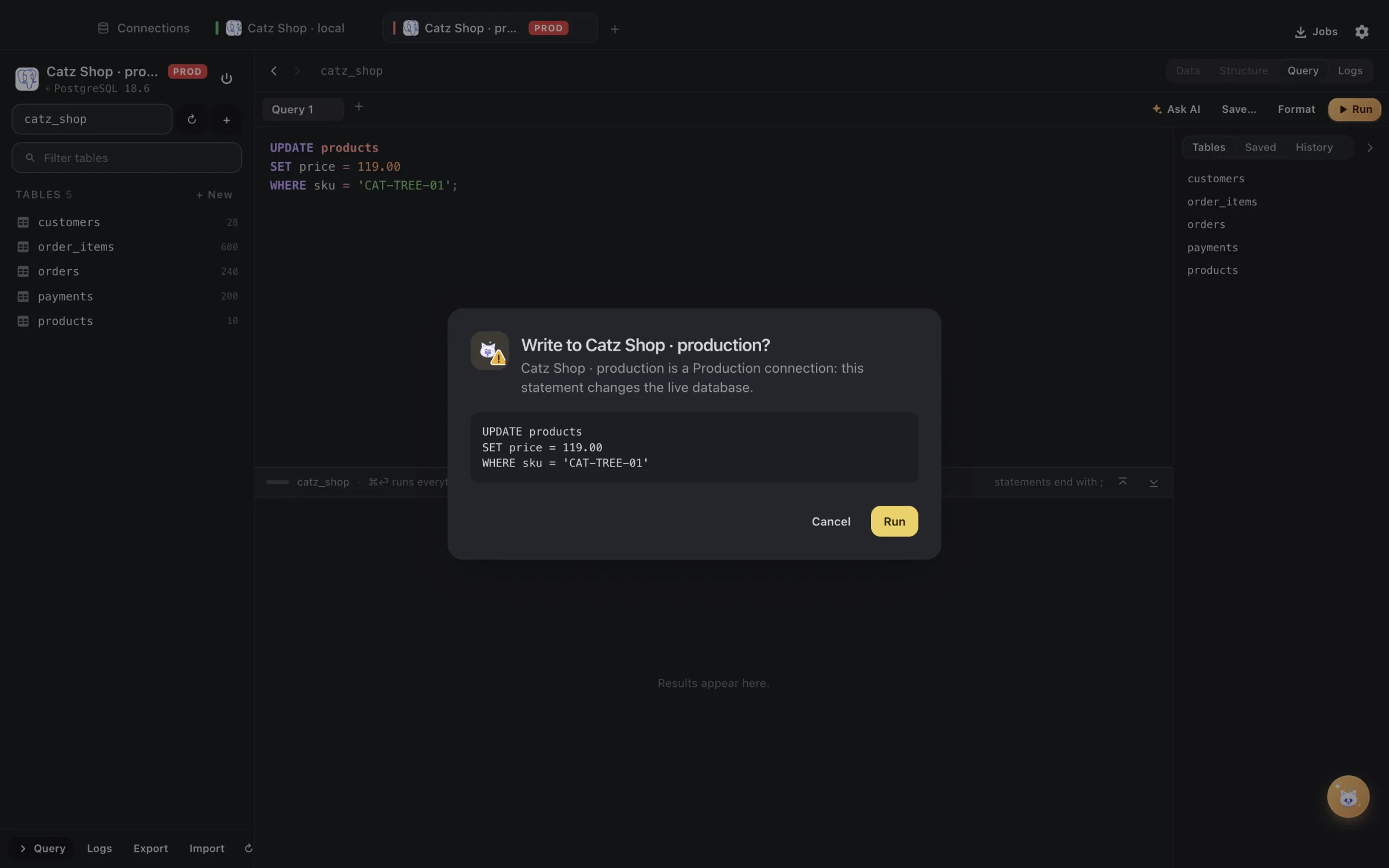
DBCatz asking before a write to production
05 · GuardProduction asks first. Every time.A Production connection wears a red PROD chip, and every write shows the exact statement before it runs.
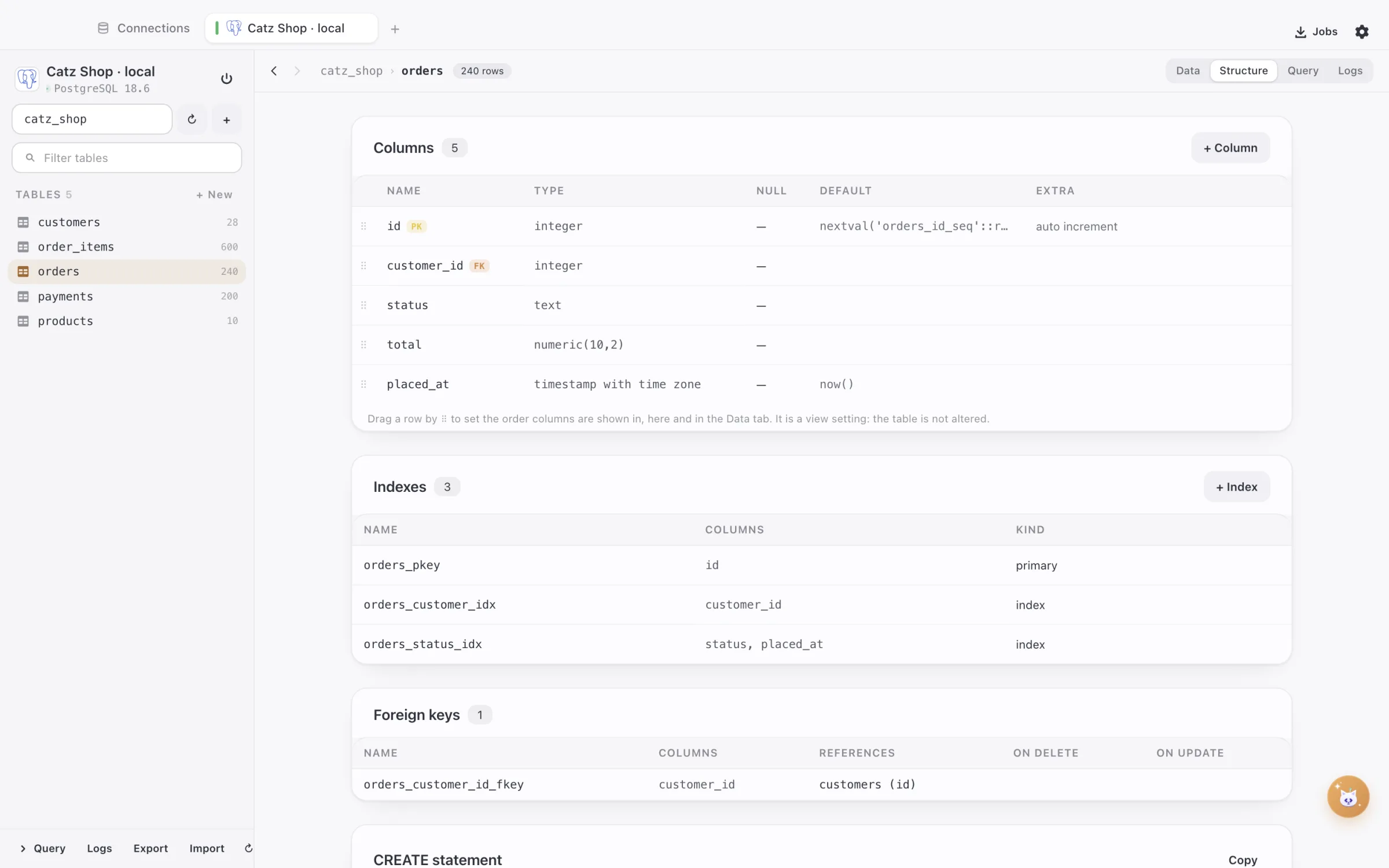
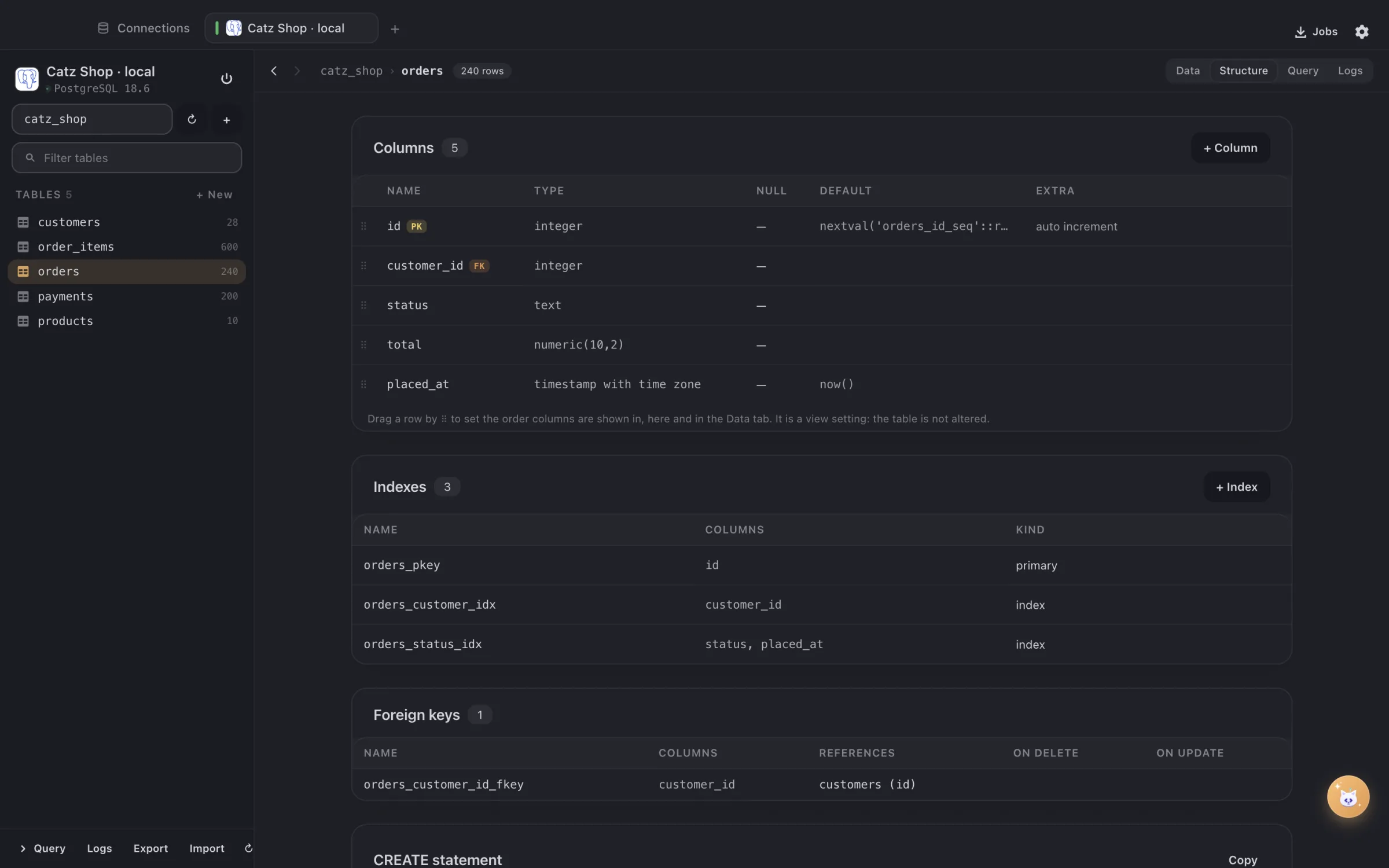
The structure of the orders table in DBCatz
06 · ShapeColumns, indexes, keys — one page.The whole table at a glance, its foreign keys and its CREATE statement ready to copy.

Databases

Eight engines, one curious cat.

Relational, key-value, document and search — with an editor that speaks each one’s language.

> which customers paid twice this month?

AI, with your schema

Ask in plain words. The cat writes the query — you press Run.

The same shared AI connection as DevCatz (Claude by default; OpenAI, Gemini, DeepSeek, Z.ai, Mistral, xAI, Groq, OpenRouter, Ollama and any OpenAI-compatible server). Only structure is sent — tables, columns, types, keys, indexes, estimated rows — never your data, unless you switch Send samples on for a connection.

  • The query never runs on its own

    It lands in the editor, formatted; you read it, then you press Run.

  • Structure, never your rows

    Tables, columns, types, keys and indexes go out — data only if you switch Send samples on, per connection.

  • Keys stay in your Keychain

    Encrypted by macOS, never in a settings file.

  • Read-only stays read-only

    On a read-only connection the AI is asked for SELECT only, and Run refuses the rest.

Ask AI writing a query in DBCatz from a plain question
✦ Ask · Ask in plain words. The cat fetches the query.

Ask AI in the Query tab (⌘K)

SQL · Redis / Valkey · MongoDB (mongosh) · Elasticsearch (Kibana console)

The query lands formatted in the editor and never runs on its own. Follow-ups in the same thread, Fix with AI on a failed statement, the answer streams in as it is written. Read-only connections get SELECT only.

Ask DBCatz (⌘⇧K)

Open a table, filter rows, export, back up, create a database…

Plain words become steps you run one by one. Destructive steps are red, reviewed, and still go through the dialog where you type the name.

Ask AI in Logs

An error row, or “why is this slow?”

What happened, why, and the fixed or faster statement with Copy and Open in Query. Obvious secrets are masked before sending.

Preview what is sent

Every feature has its own switch

See the exact structure and lines that go to the provider before they do.

Off until you turn it on · one connection, shared with every Catzoid app ·Claude (default)OpenAIGeminiDeepSeekZ.aiMistralxAIGroqOpenRouterOllamaany OpenAI-compatible server

The MCP with the cats insidesoon

MCatzP. em-catz-pee

One MCP server for the whole Catzoid family. Your AI assistant — Claude, Cursor or any other that speaks MCP — will be able to list tables and run read-only queries on the connections you allow in DBCatz, and reach the other cats you have installed through the same connection. One connection, every cat — and you hold the keys: only what you allow, nothing runs without you seeing it.

Works with ClaudeGeminiGPTGLM— any app that speaks MCP.

Meet MCatzP

Connect anywhere

Local, staging, production — this cat lands on its feet everywhere.

Every way in

TCP/IP · Unix socket · SSH tunnel (key, password or ssh-agent, built in) · AWS IAM · HashiCorp Vault

AWS IAM tokens for RDS are signed locally with the RDS CA and renewed every 10 minutes; Vault gives dynamic credentials or KV v2 secrets. No side scripts, no copied passwords.

Connect with a URL

mysql:// · postgres:// · redis:// / rediss:// · mongodb:// / mongodb+srv:// · https:// (Elasticsearch) · sqlite:// · a whole DATABASE_URL= line from .env

Paste it as a quick session or let it fill the form. The fastest way from a .env to a query.

Options that matter

SSL (require / verify) · LOCAL INFILE · cleartext plugin · public key · timeout · session time zone

Test / Connect show every step — Vault → AWS → SSH → reach → sign in — with Cancel and a readable error when one fails.

Secrets in the Keychain

Passwords · SSH passphrases · AWS keys · Vault tokens

Encrypted by macOS, never in a plain config file.

A connection list that scales

Favorites · your own groups · drag-and-drop order · colour per connection · connected dot · several tabs per connection

Fifty connections stay readable.

Production safety

Curiosity won’t hurt this database.

The client assumes you will make a mistake one day, and makes that mistake harmless.

Safety · per connection

NormalEdit freely; risky changes still ask.
ProductionPRODAsks before every write; marked PROD.
Read-onlyOnly reads; the server session is read-only too.

Safety mode per connection

Normal · Production (PROD chip, asks before every write, destructive statements need the connection name typed) · Read-only (writes refused, the server session itself is read-only)

A production connection looks and behaves differently, every time.

Structure changes are checked first

Primary key · foreign keys · values that would not fit the new type · duplicates before UNIQUE · charset / collation · long rebuilds

Blocked with what to do instead, or marked risky so you type the name. Dropping or truncating a table other tables reference is refused.

Queries ask before damage

DROP · TRUNCATE · ALTER · UPDATE / DELETE without WHERE · FLUSHALL · deleteMany({})

The one line you did not mean to run gets a second look.

Working with data

Rows, keys and queries — handled with soft paws.

Data grid

Paging · sort · filter · inline edit · insert (typed field per column, Default / NULL / Value) · delete

Type-aware editors: ENUM dropdown, boolean toggle, date / time pickers, JSON editor, long text. Fewer typos, fewer bad rows.

Links and filters

Resizable / reorderable columns · saved filters · foreign-key links with Back

Click a value to jump to the row it references and come back.

Structure

Columns, indexes, foreign keys, CREATE statement · add / change / drop with type pickers · Unique, charset, collation, comment per column · create / rename / truncate / drop tables · create database

No typos in types, and your own tables come first — system tables (mysql, information_schema, sqlite_*…) are grouped apart.

Query editor

Several editors · ⌘⏎ runs all or the selection · one result per statement · copy CSV / JSON · editable single-table SELECT results

Syntax highlighting and autocomplete for SQL, mongosh, the Kibana console and redis-cli: statements, tables, alias-aware columns, functions, Redis commands with their syntax and the database’s keys. Saved queries and history per database.

Redis / Valkey

Key browser (pattern, type, size, TTL) · editor per type · rename / TTL / delete / flush · Command tab with suggestions

JSON values pretty-printed, and PHP serialize() values (Laravel jobs, cache, sessions) shown as readable objects — a big help for Laravel developers.

Export, import, backup

Export SQL, CSV, JSON / NDJSON, XML, DOT diagram, Redis script · import SQL / .sql.gz, CSV, NDJSON, Redis script, DBCatz backups · back up chosen databases to one .tar.gz

Progress in a Jobs panel; long jobs do not block the app.

Logs

Activity per connection (every query, edit and DDL with timing, rows and errors) · the server’s own log

See what the app did, and ask AI why a statement was slow.

Better together

Three cats, one territory: DevCatz brings the databases, DialCatz brings you to the row.

DevCatz’s database services show up in DBCatz as “DevCatz services” with live status and no setup. Open in DBCatz from DevCatz, Open in DevCatz from DBCatz; DevCatz installs DBCatz when it is missing. And after a DialCatz request, DBCatz opens the table it touched.

devcatzdbcatzOne file is the whole contract.DevCatz writes the services it runs; DBCatz follows the file and lists them. Nothing talks to anything.
dialcatzdbcatzCheck in DBCatz.After a request, Check in DBCatz opens the table the call just touched — at the row, when the URL or the JSON answer has its id.

Zero setup

No host, port or password to copy for local databases.

Live status

Stop a service in DevCatz and its DBCatz tab shows Disconnected / Reconnect.

Opened from DialCatz

Check in DBCatz after a request lands on the table it touched, at the row — read-only, it only opens.

Ready for adoption

Take DBCatz home.

macOS 13+ on Apple silicon and Intel; Windows is on the way. No account, no licence key — all cats, no catch.

Apple siliconIntel MacWindows · soon

Also in the family: DevCatz · DialCatz · DoCatz